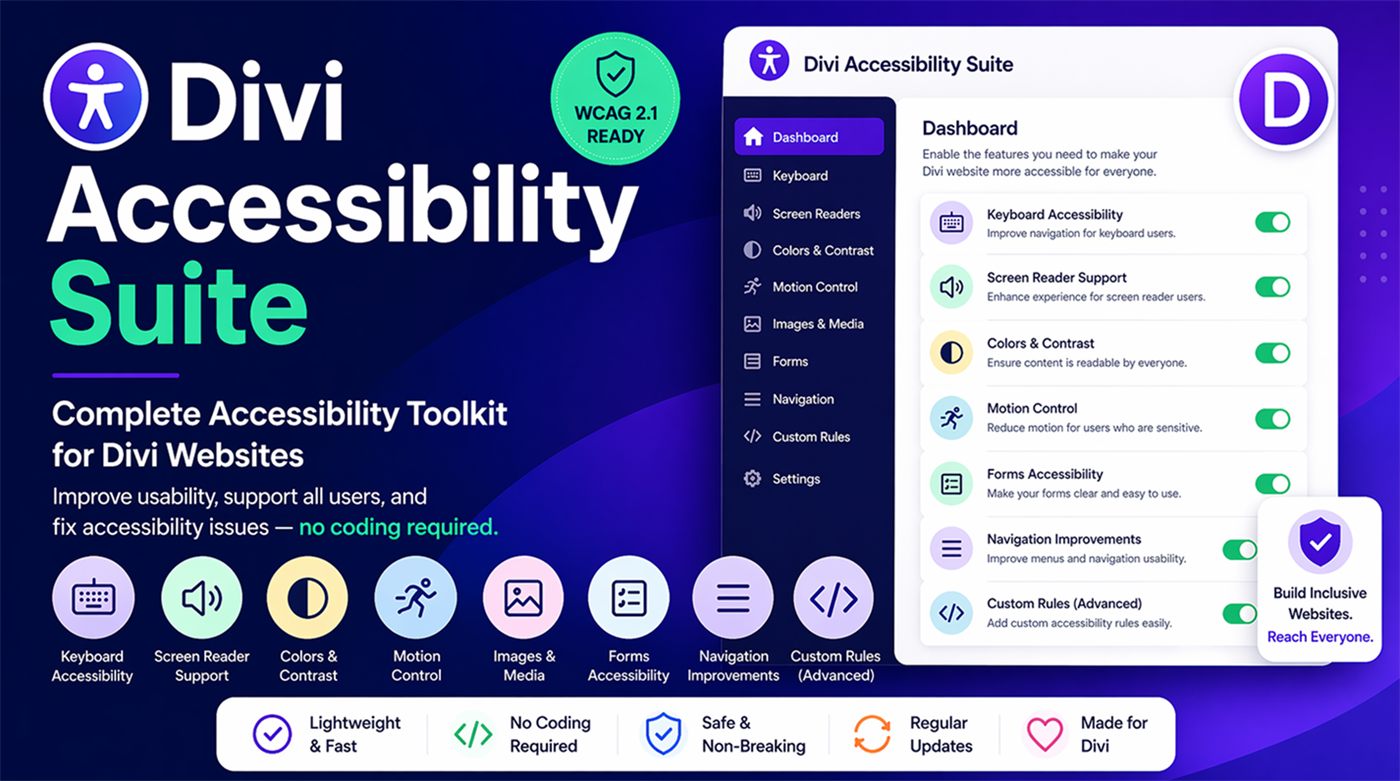
Divi Accessibility Suite
The complete accessibility toolkit for Divi websites. Improve usability, support every visitor and fix common accessibility issues with simple switches. No coding required.
Switch it on and watch the fixes happen
This sample page has real accessibility problems. Turn on each setting to apply the same kind of fix the plugin makes, then press Tab to move through the page and see what a screen reader would announce.
Demo of the plugin’s settings. Each switch changes the sample page.
Spring collection is here
Handmade ceramics and lighting for calm, beautiful homes. Free shipping on orders over $50.
Subscribe

Eight areas of accessibility, one simple dashboard
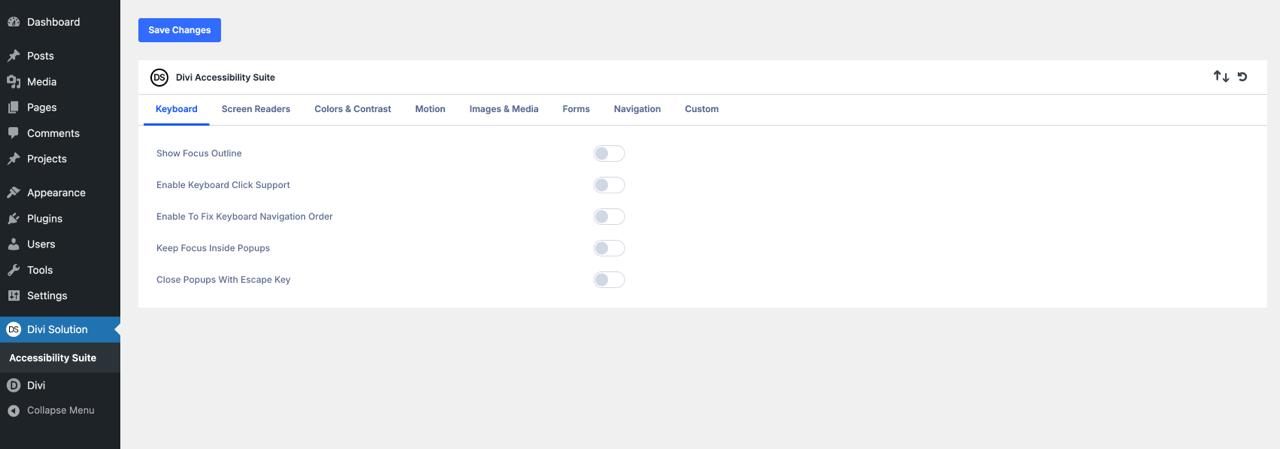
Every feature is a switch, so you can enable fixes safely, one at a time, and test as you go.
Keyboard
Visible focus outlines in your colour, Enter/Space click support, logical tab order, focus kept inside popups and Escape to close.
Screen readers
Hide decorative icons, label icon-only buttons, announce dynamic content and expand/collapse states, and improve social media labels.
Colors & contrast
Detect and highlight low-contrast text, check button contrast in every state and make sure links are clearly visible.
Motion control
Respect the visitor’s reduced-motion setting, stop autoplaying sliders, soften animations and disable parallax effects.
Images & media
Warn about missing or duplicate alt text, mark decorative images, require pause controls and suggest captions.
Forms
Connect labels to fields, announce errors, show an error summary, highlight required fields and avoid placeholder-only inputs.
Navigation
Full keyboard menus, current-page announcements, accessible dropdowns, Escape to close menus and no hover-only menus.
Custom rules
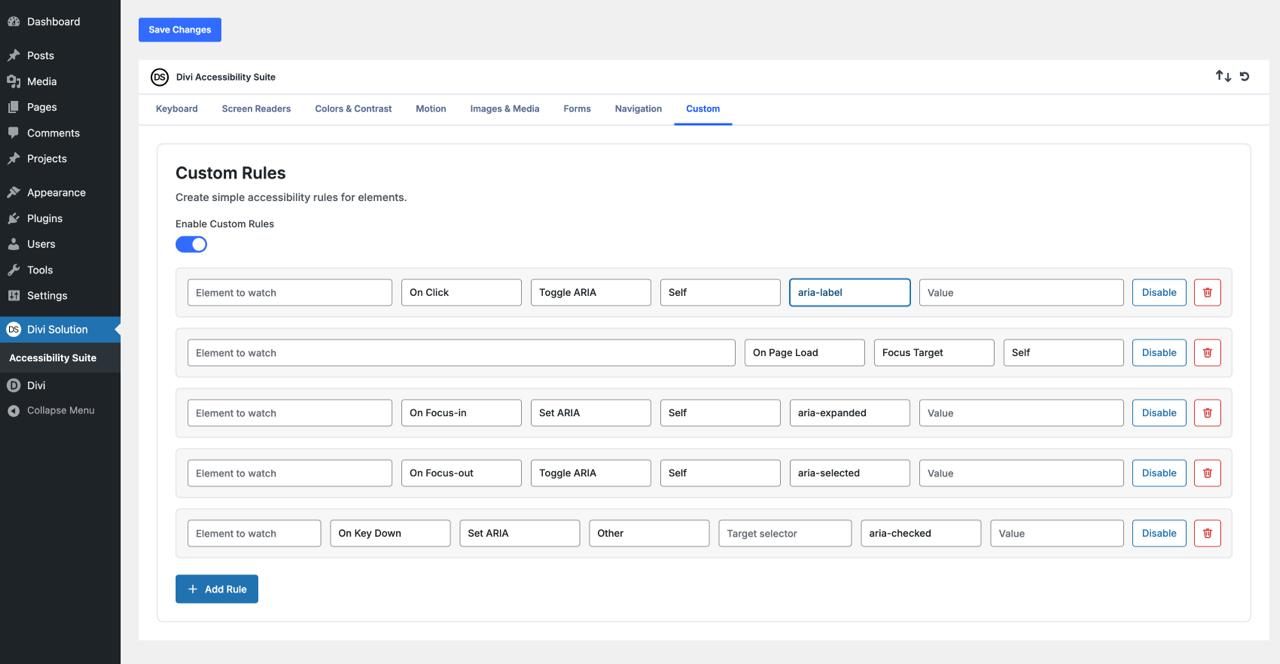
Target any element with a CSS selector to set or toggle ARIA attributes or move focus. Ideal for third-party modules.
Fix edge cases without writing JavaScript
Some layouts need a targeted fix. Custom Rules let you choose an element, an event and an action, and the plugin does the rest.
- Element to watch: any valid CSS selector, like
.search-icon - Event: Click, Page Load, Focus, Blur or Key Down
- Action: Set ARIA attribute, Toggle ARIA attribute or Move focus
- Target: the same element or a different one
Progressive enhancement, not a rebuild
The Accessibility Suite works on top of your existing Divi design. It adds what is missing and leaves your layout alone.
- Non-breaking logic with safe fallbacks
- Minimal DOM changes for fast pages
- Full Divi 5 compatibility
- Toggle features one at a time and test each change
One simple licence
Divi Accessibility Suite
$24
One-time payment · GPL licence
- Use on unlimited websites
- 1 year of support and updates
- 30-day money-back guarantee
- All 8 feature areas plus Custom Rules
- Compatible with Divi 5
Secure checkout by Elegant Themes. Not compatible with Divi 4.
Frequently asked questions
Does it work with Divi 4?
No. The Accessibility Suite is built for Divi 5 only.
Will it change my design?
No. It uses progressive enhancement: it adds attributes, keyboard behaviour and checks on top of your layout. Visual changes, such as focus outlines, only appear for the features you switch on.
Does it make my website legally compliant?
It fixes many of the most common accessibility issues and helps you follow WCAG 2.1 best practices, but no plugin can guarantee full compliance on its own. We recommend testing with a keyboard and a screen reader after enabling features.
How many websites can I use it on?
Unlimited. Your purchase includes one year of support and updates.
Can I fix issues in third-party modules?
Yes. Use Custom Rules to target any element with a CSS selector and set ARIA attributes, toggle them on click, or move focus.
What if it isn’t right for me?
Purchases on the Divi Marketplace include a 30-day money-back guarantee.
Build inclusive websites. Reach everyone.
Get the Divi Accessibility Suite for $24 with unlimited site usage.